
Building this website: a split-brain hero, a face scan and a ghost made of light
Two days, 88 commits and a lot of Blender. How a VFX supervisor built his own site with Claude Code, from a draggable craft-to-code brain to a light-painted self-portrait that took about forty tries.
The brief I gave myself
The site had to say one thing in one gesture: twenty years of craft, now building in code. It couldn't be a template or a portfolio grid. The one rule came straight from compositing: show, don't tell. If I claim I can move between hand-made and machine-made, the page itself should do it.
Everything here was built with Claude Code as the engineer and me as the director: art direction, review and a lot of "no, not like that." I wrote no code by hand. I did write a great many very specific notes.
- The brainA Blender scroll story: brain, split, braid, pathways
- The split-screen hero170,000 ink particles on the craft side, code on the other
- The frameA fixed bezel and a timecode that starts at 20:00:00:00
- The CV and the code revealHeadings decode from glyphs, re-rolled about 12 times a second
- The portraitAbout forty tries, ending in ~9,000 light strands
- Brand and first frameThe B mark, and a loader that fills it as the site loads
01. The brain
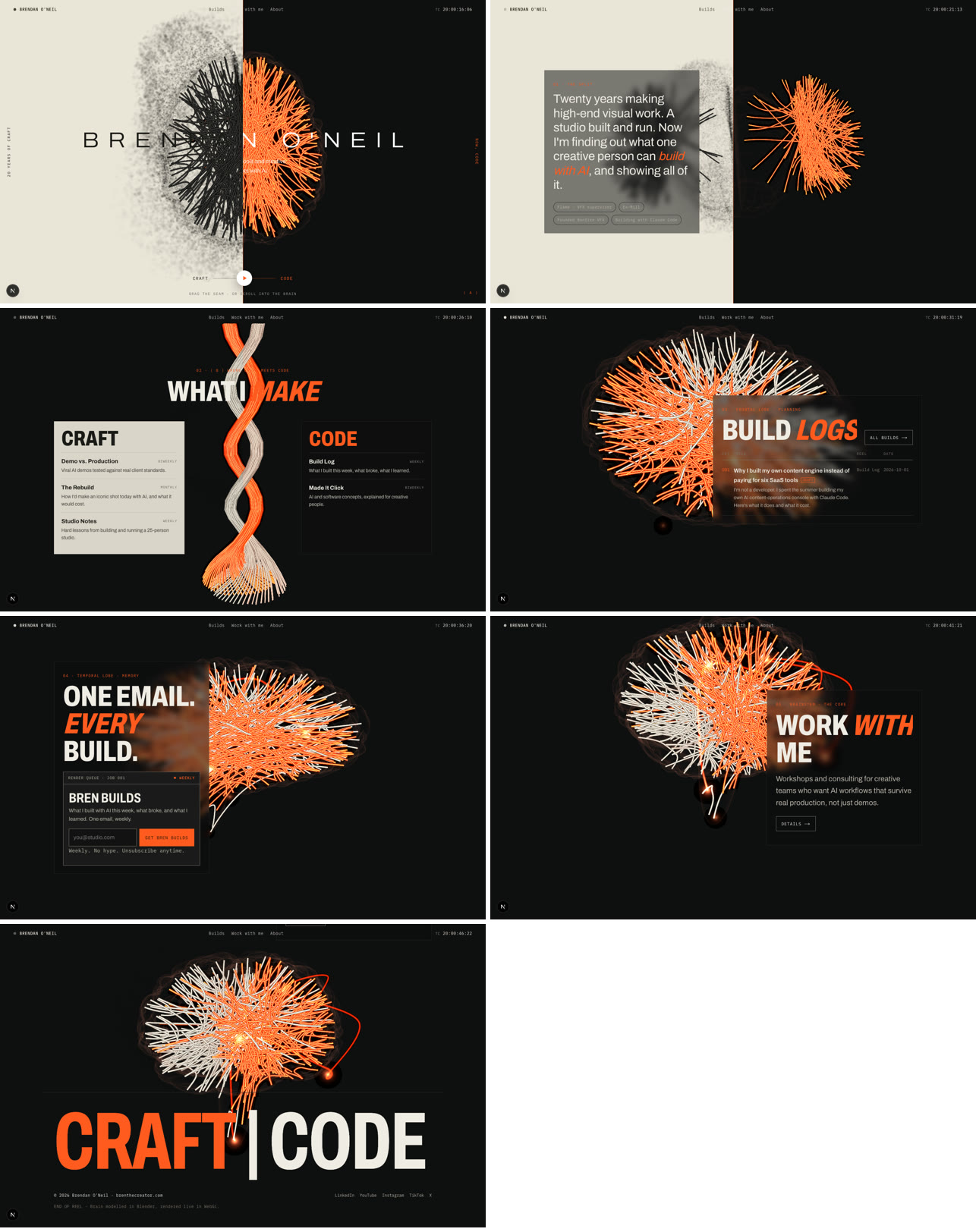
The first idea was a scroll story. A brain splits into fibres, the fibres braid, and the braid opens into pathways that become the site map, with each lobe a series. I built it in Blender first, live, so I could scrub the timeline the way I'd review a shot.
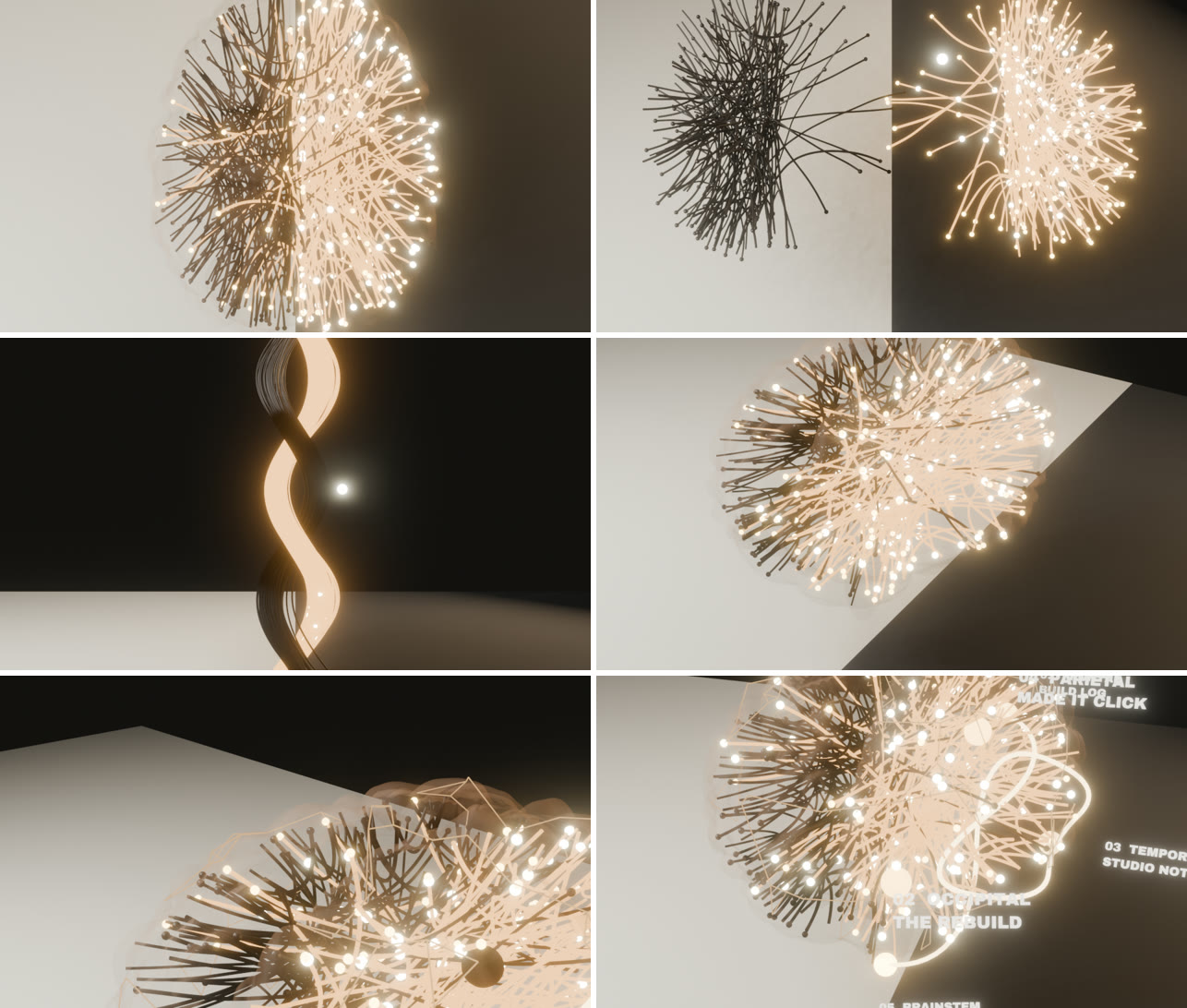
The brain is procedural (make_brain.py). The folds aren't mirrored, there's a real fissure, and the cerebellum is striated. A groove map is baked into it, so the web version knows where the folds are.
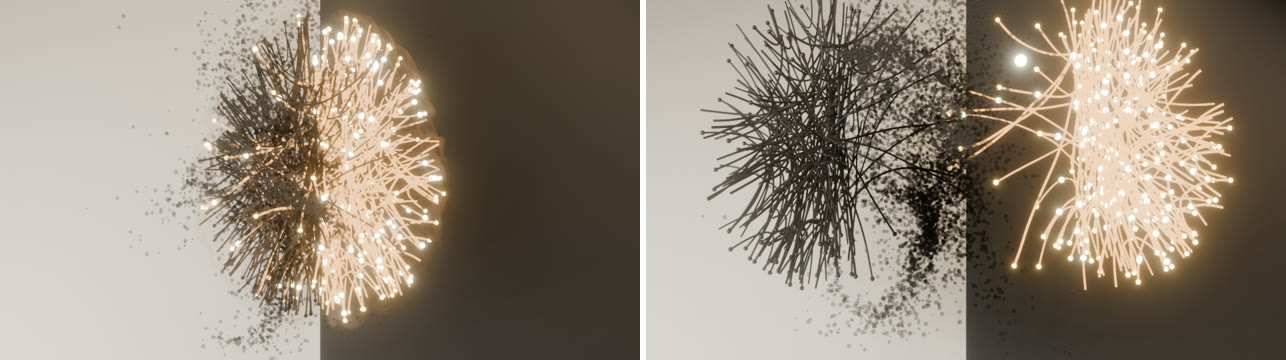
The scroll story worked on paper and fought me on screen. The camera kept ending up too close, the tissue turned to mush on phones, and it was a lot of motion before anyone had read a word.
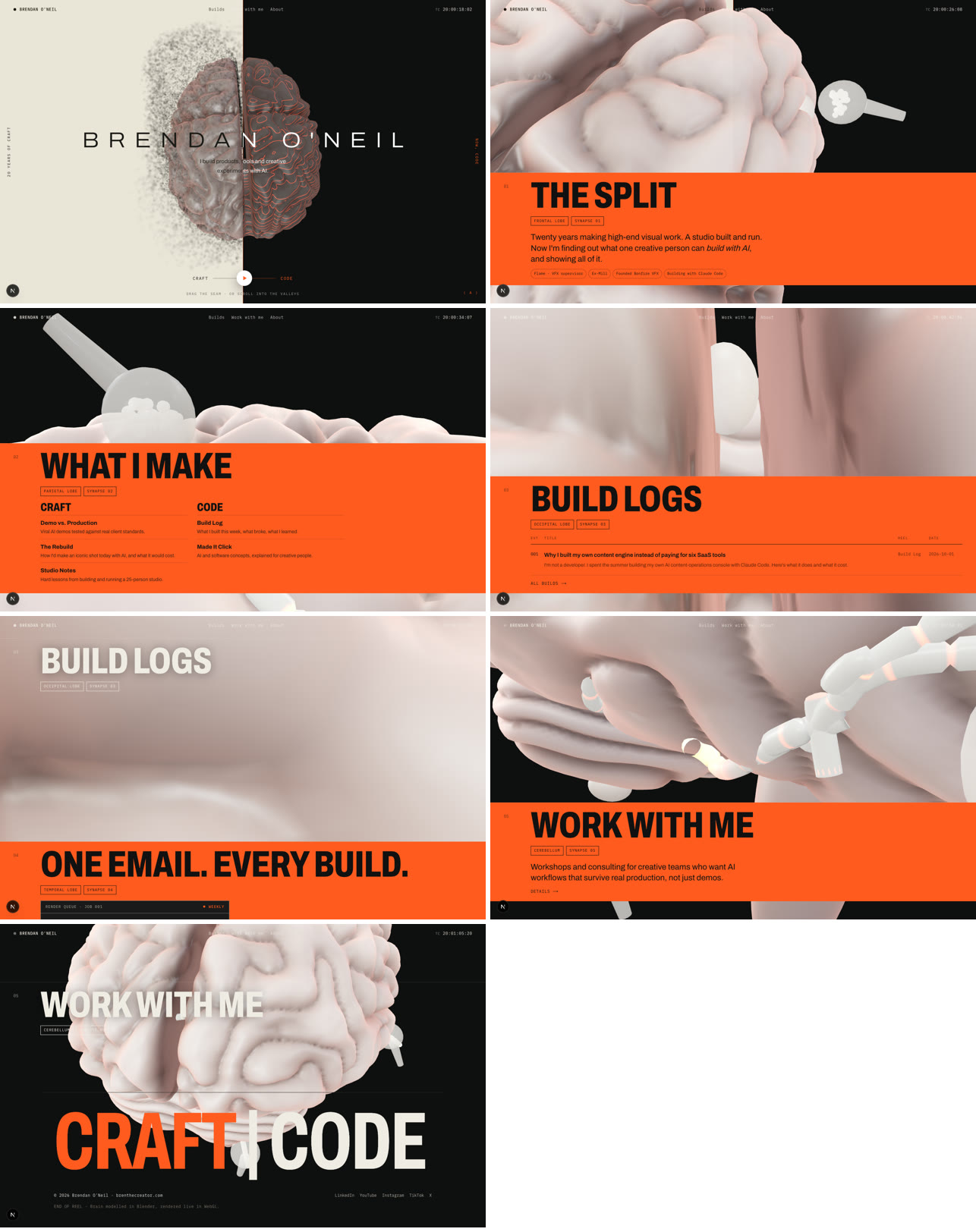
So I cut it back to one frame that does the whole job.
02. The split-screen hero
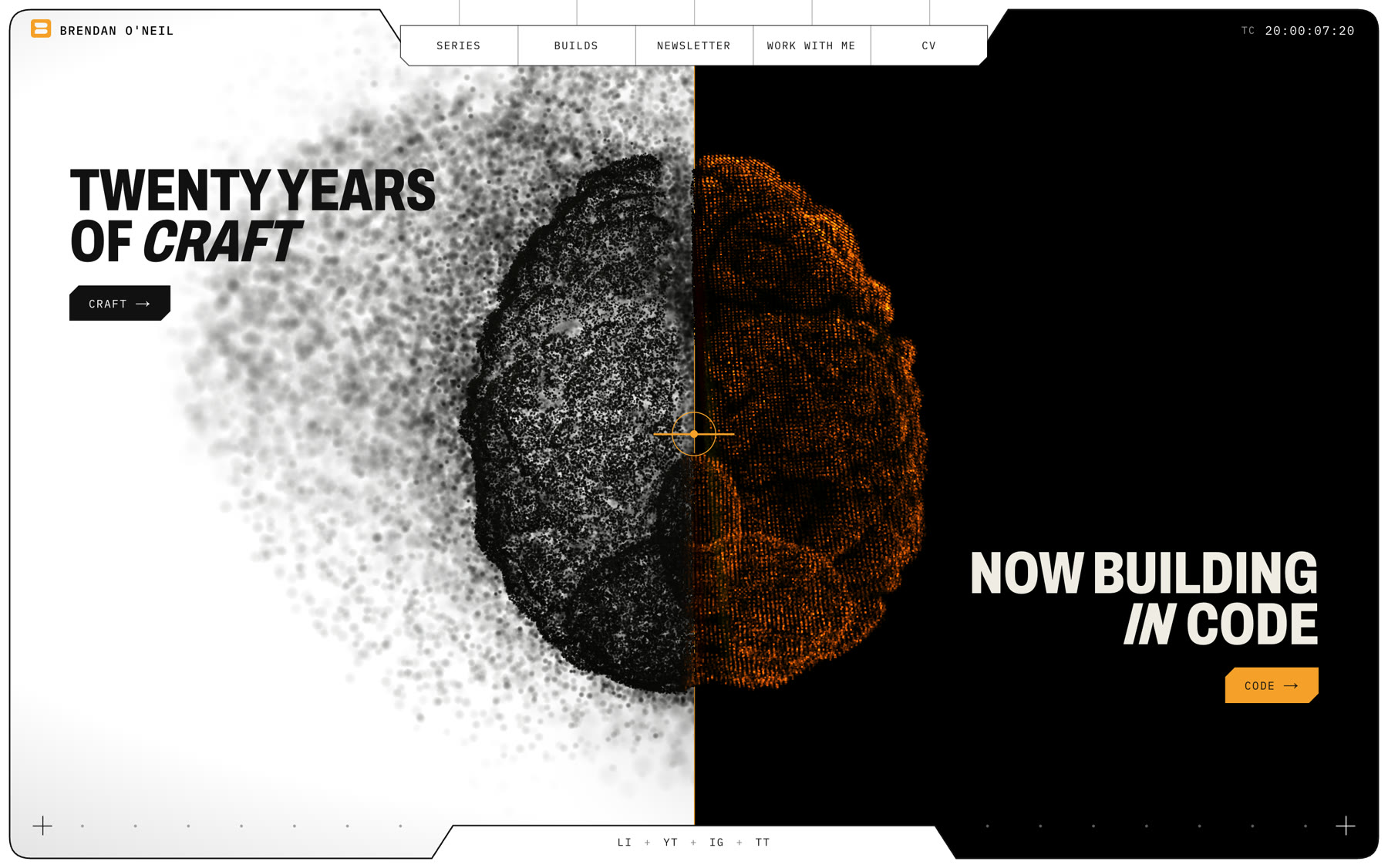
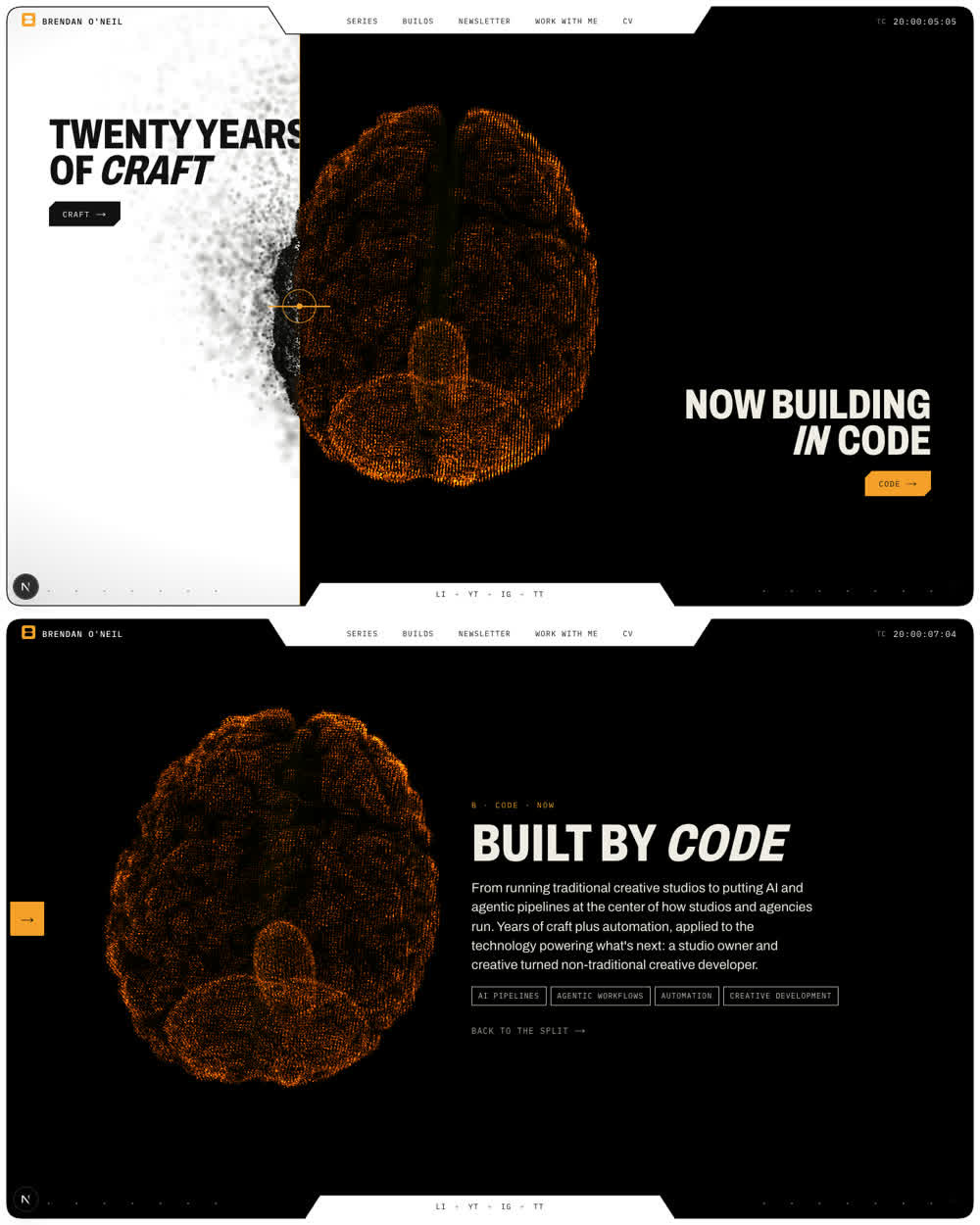
The hero is one brain rendered two ways, split by a seam you can drag.
- Craft (left): 170,000 ink particles with swirling smoke trails, the folds drawn from that groove map, on white.
- Code (right): the same brain frozen onto a pixel grid in orange, on black.
The seam is a compositor's A/B wipe: the tool I've used every day for twenty years, turned into navigation. Drag it, and the text on the other side is wiped away as you go. Let go, and it finishes the swipe in the direction you were moving. The brain glides out of the way of whichever side you're reading, and a short summary of that half of my career takes its place.
03. The frame
Around every page sits a bezel. It's a rounded screen border with a notch for the nav, a notch for the socials, corner crosshairs, edge ticks, my name and a running timecode. It came from an old brand board of mine and it's there on purpose: the whole site is framed like a monitor in a grading suite.
The timecode starts at 20:00:00:00, one hour for every year in the chair, and runs at 24 frames a second.

Below the hero, the sections are giant stacked rows (Series, Builds, Newsletter, Work with me) that fill with orange as you move over them. One of the least glamorous bugs of the build was here: Chrome fires synthetic mouse events at row boundaries, which made the highlight jitter back and forth. The fix was to only react to real pointer movement.
04. The CV and the code reveal
The CV is a real document for recruiters. It's marked up so search engines can read it as a person record, and there's a working contact form. From Core expertise down, every section reveals as if it's being compiled. Headings decode from code glyphs into words, and lines type on with a stepped wipe. Everything shares one duration and one beat, so it moves as one piece.
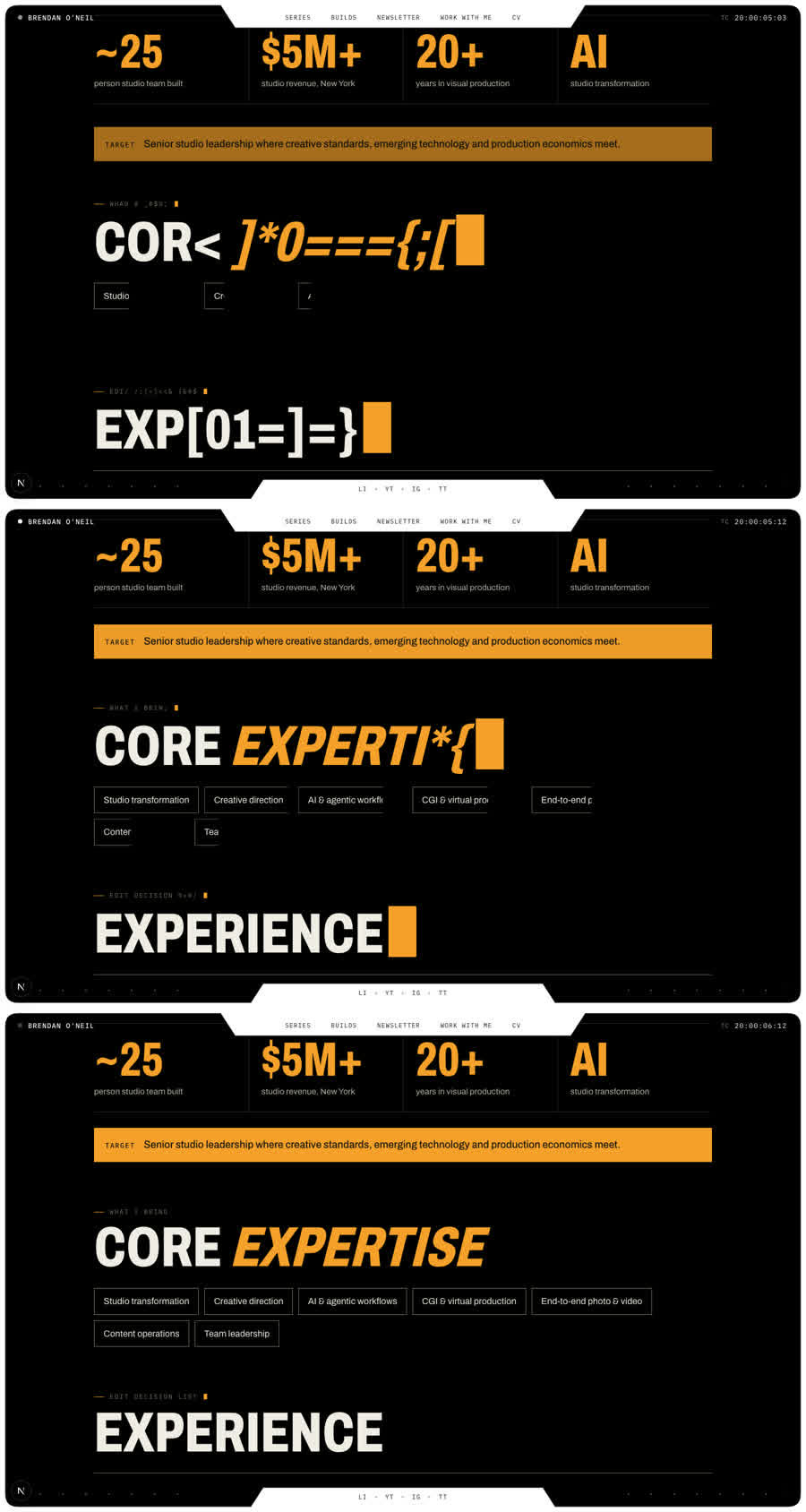
The details took longer than the effect. The first version was too fast and jittery, and the glyphs were wider than the letters, so headings wrapped and pushed the page around mid-reveal. The fix was to lock each heading's size while it decodes, re-roll glyphs about 12 times a second instead of every frame, and make the cursor take up no space at all.
05. The portrait: about forty tries at a ghost
This is the part I'm proudest of, and the part that fought hardest.
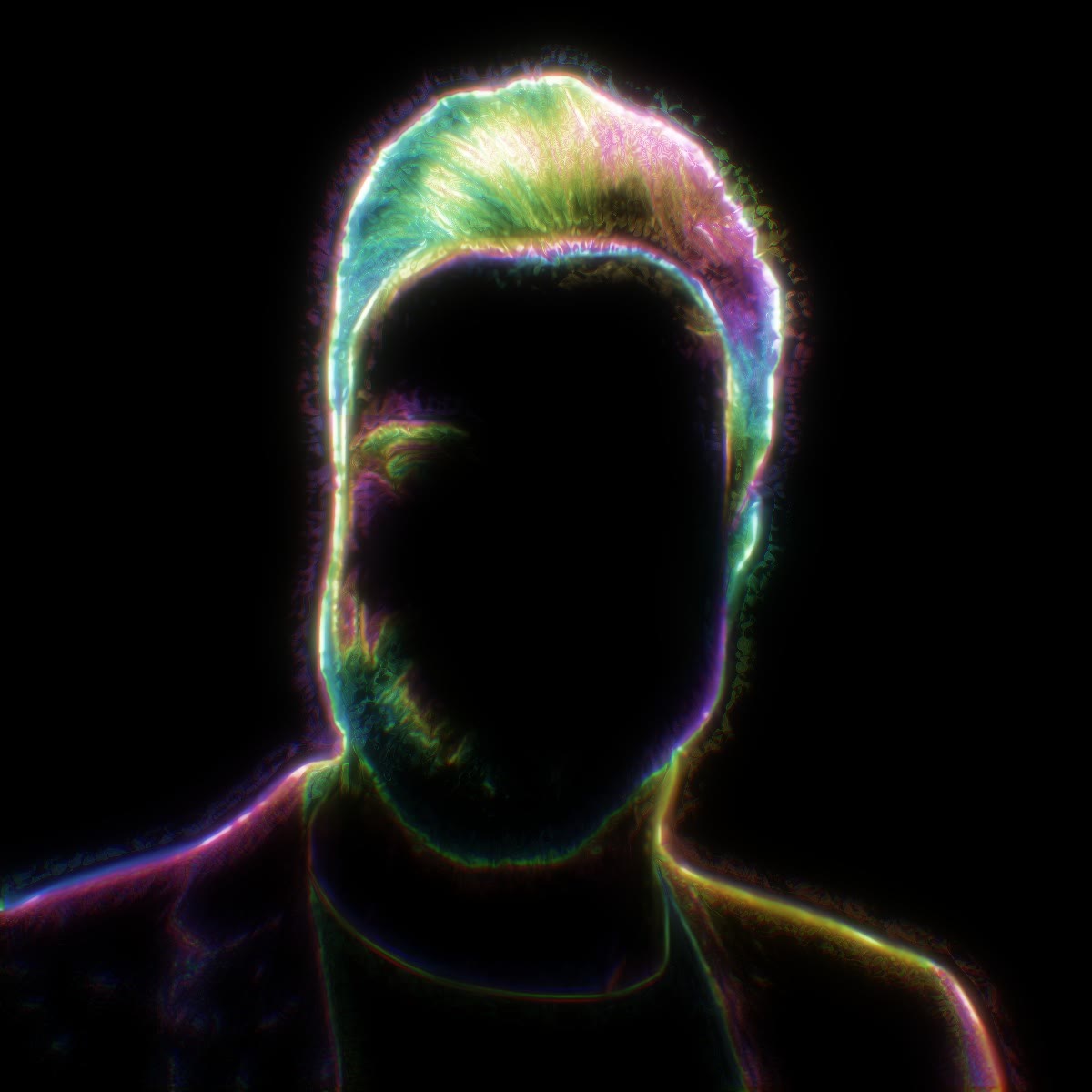
I wanted the CV portrait to be a figure drawn entirely in light: a faceless bust made of soft, prismatic strands on black, like a long-exposure light painting.
Take one was 2D. OpenCV traced my photo and streaked light along its edges. It looked like a filter.
So I scanned my own head. One selfie video went in, and Apple's built-in photogrammetry produced a textured mesh. The trick that made it work was masking. Vision segments the person in each frame, then face landmarks cut the mask off at the jaw. Shoulders move independently of the head in a selfie, and including them wrecked the first solve.
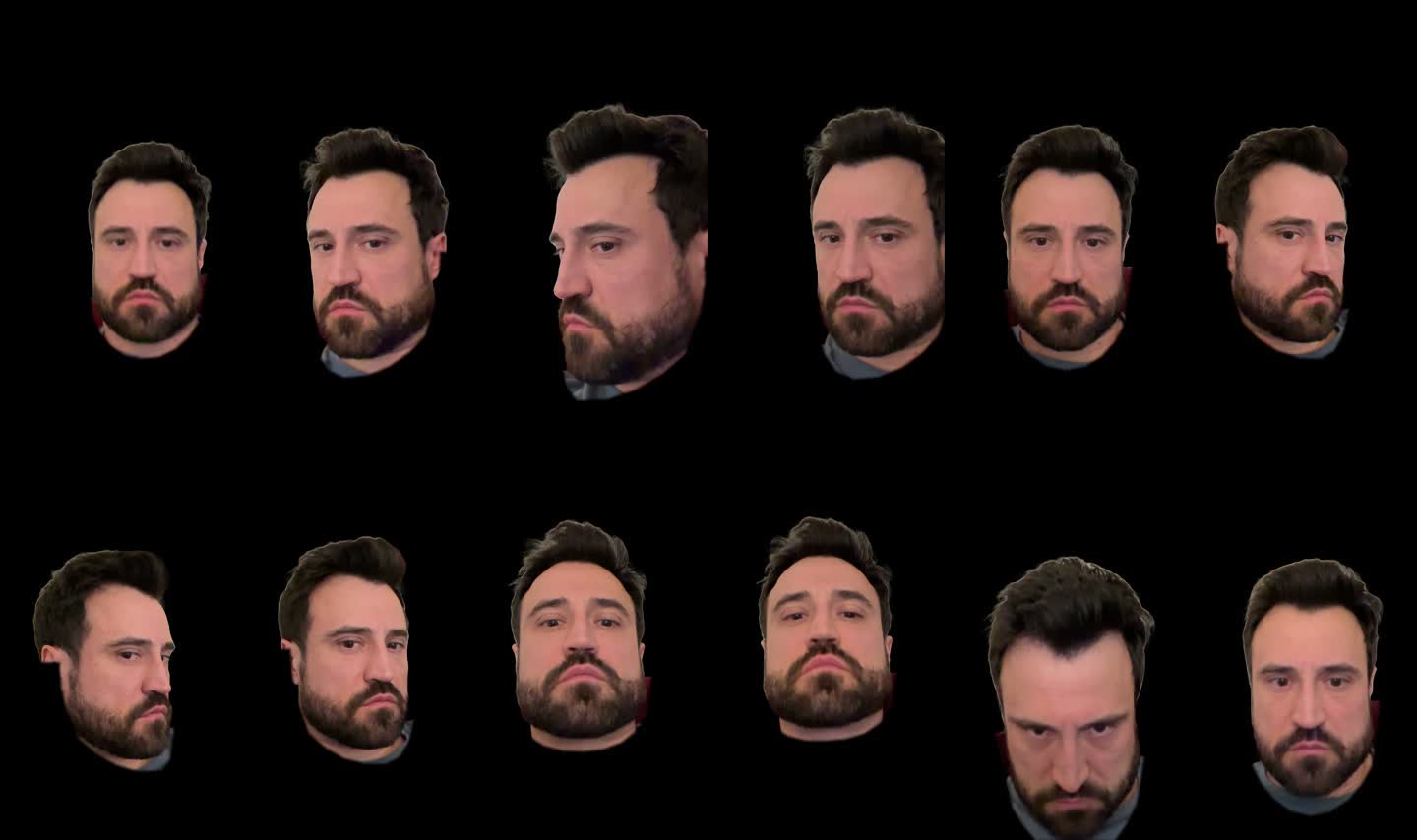
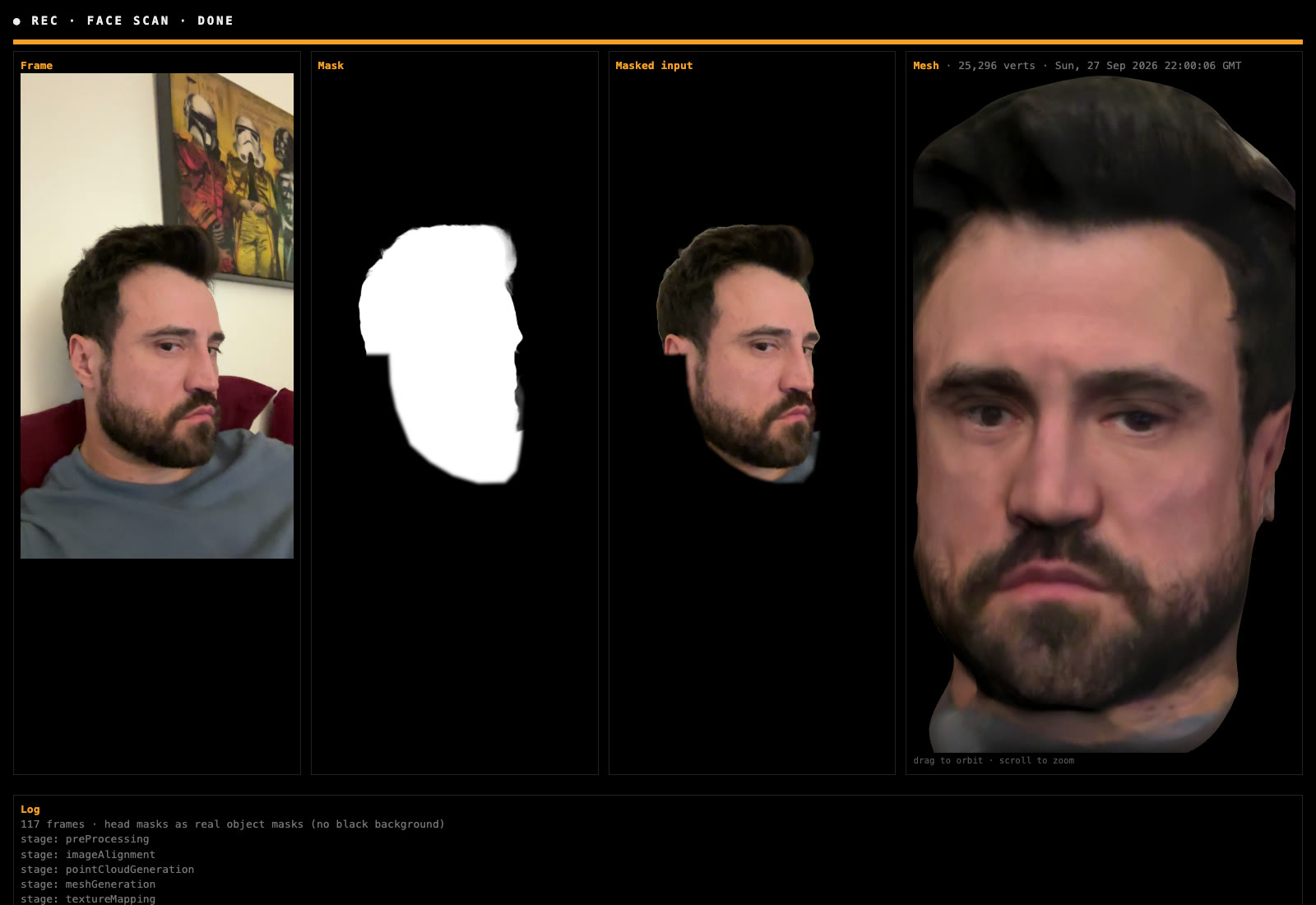
The scan only covers the front of my head, so a Blender script fuses it onto a full generic bust (fuse_scan_head.py). It aligns the two with the same point-matching maths used in matchmoving, then blends the seam out with a harmonic fill. A second script sculpts in what the light needs to catch: clavicles, neck tendons, pectoral edges and ears.
Then I spent a long time getting the light wrong.
- Glowing surfaces read as a chrome mannequin.
- Traced lines read like a colouring book.
- Offline Cycles renders were beautiful and far too schematic.
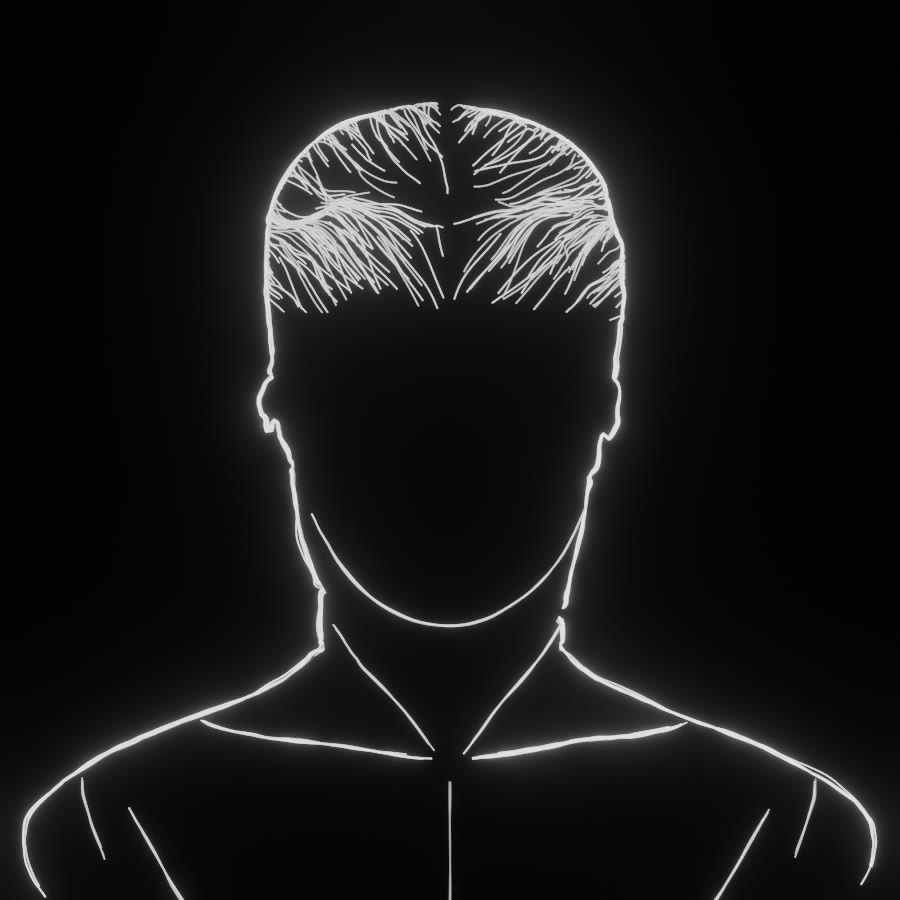
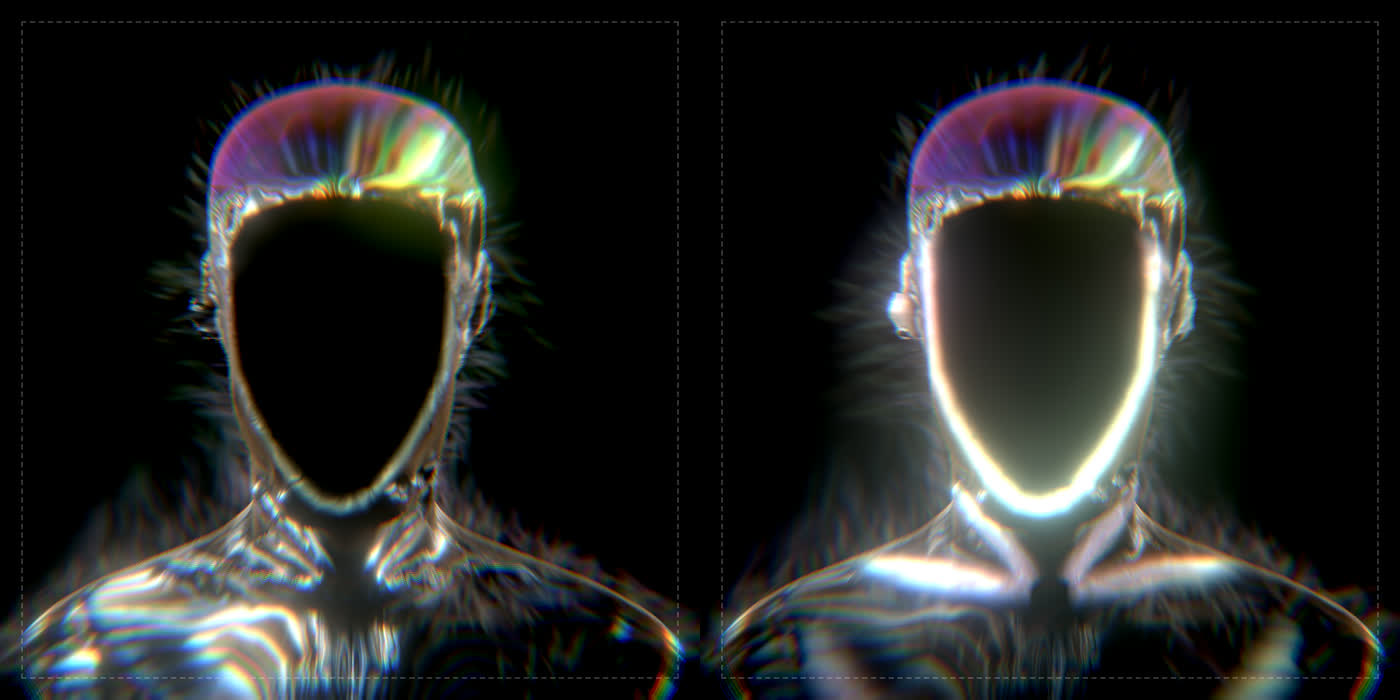
What finally worked was treating the reference like a VFX supervisor would: measure it, don't eyeball it. I wrote a script that analyses an image. It reports how much of the frame is lit, how saturated the colour is and which hues, how aligned the strokes are, and how soft the edges are. It aligns my render to the reference and prints the two side by side.
The numbers said three things:
- No surface at all. The form is implied only by where strands gather.
- Mostly black. Only about 19% of the frame is lit, and under 4% is bright.
- The colour is a muted warm/cool split, not a rainbow. It lives in the mid-tones, and the brightest cores stay white.
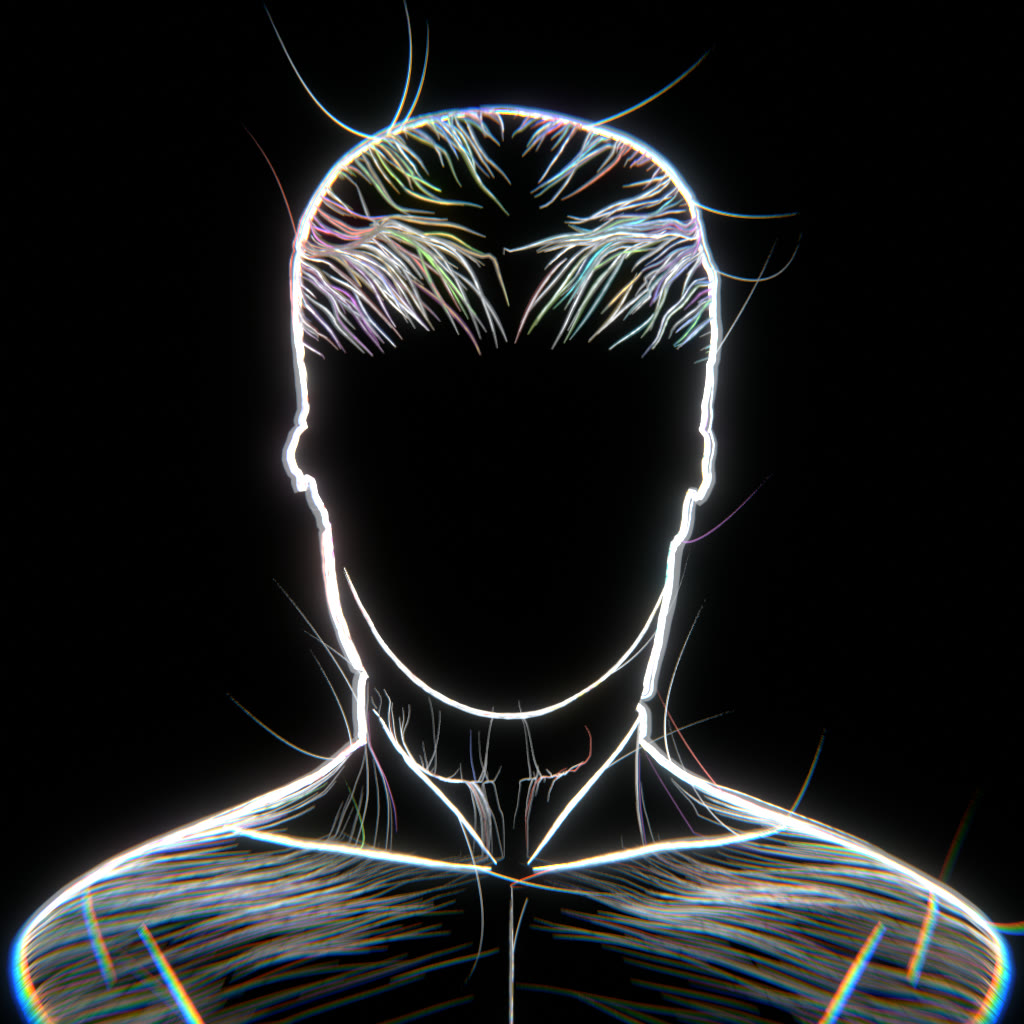
So the final portrait has no surface. About 9,000 strands are traced over the sculpted bust in Blender (make_bren_strands.py), in families:
- the face outline;
- clavicles and tendons;
- sheets down the neck;
- swept hair;
- drifting edge lines;
- a sparse veil over the chest.
In the browser each strand is a soft ribbon drawn three times, once each in red, green and blue, slightly offset so every bundle carries a prismatic fringe. They add up in HDR and roll off gently to white. Iridescent bands follow the figure's contours and undulate slowly, and ink motes drift off the light. The scanned head is only ever drawn in black, to hide the strands behind it.
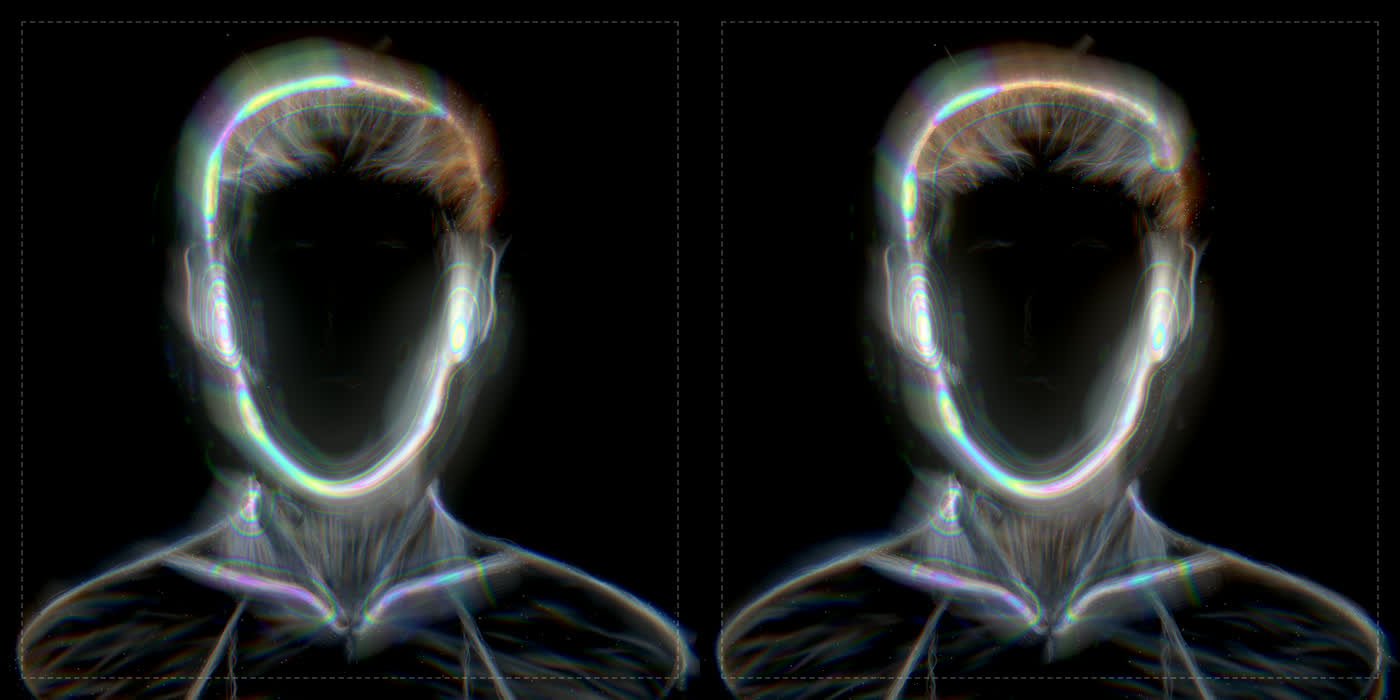
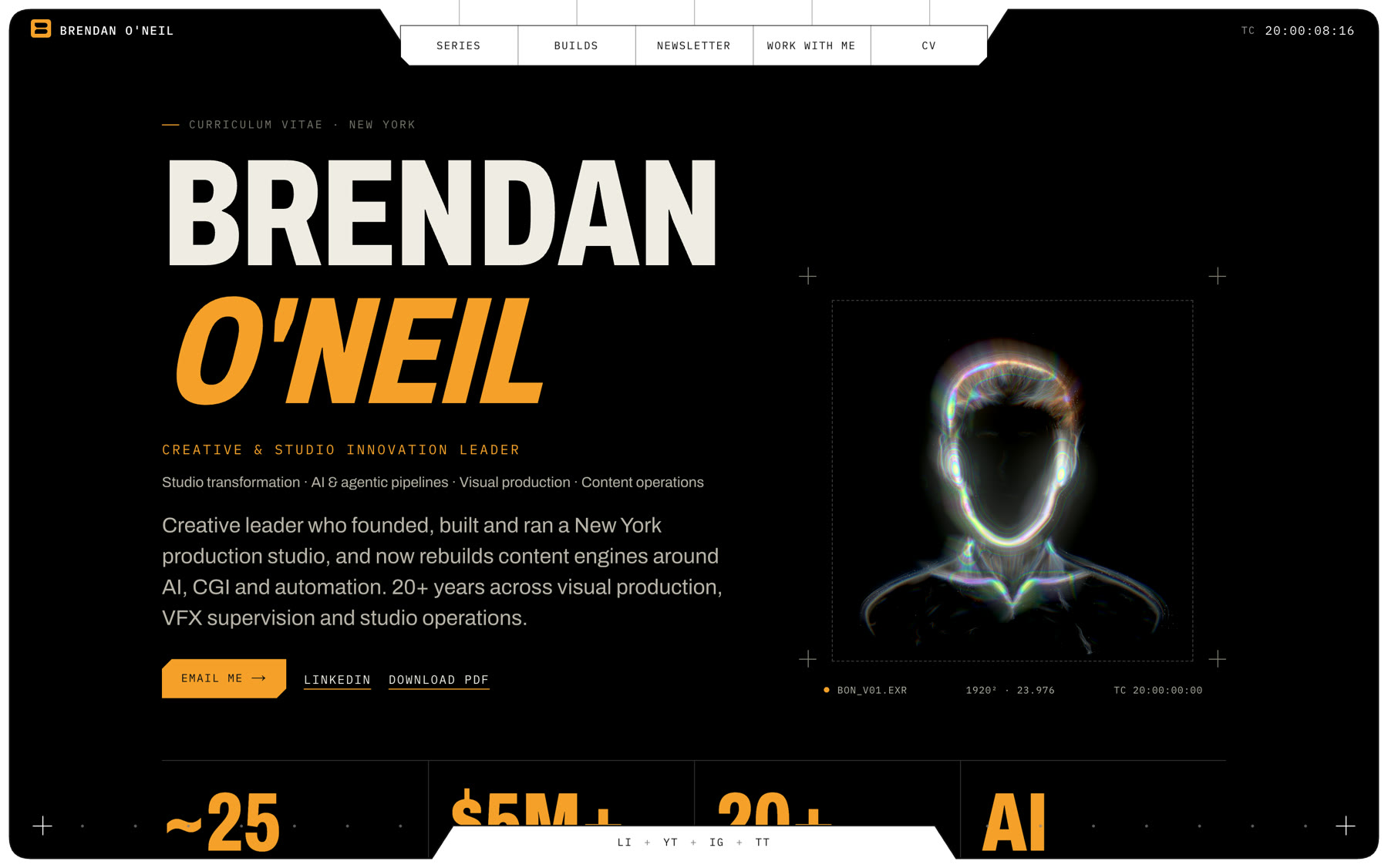
Most of the fixes were anatomy notes, and they're the same notes I'd give an artist:
- There was "a double chin": outline strands were tracing the scan's real jaw below the drawn one.
- The clavicles should "curve up a bit before the turn into the V."
- The ears needed "a real shape, not two half circles." I eventually measured the reference ear's outline row by row, pixel by pixel.
06. Brand and first frame
The mark is a B built from two bars that meet in a notch, in the site's orange (#f5a02a). I rebuilt it as clean vector geometry measured from the artwork. It's the favicon, it sits in the corner of the frame, and it's the first thing you see.
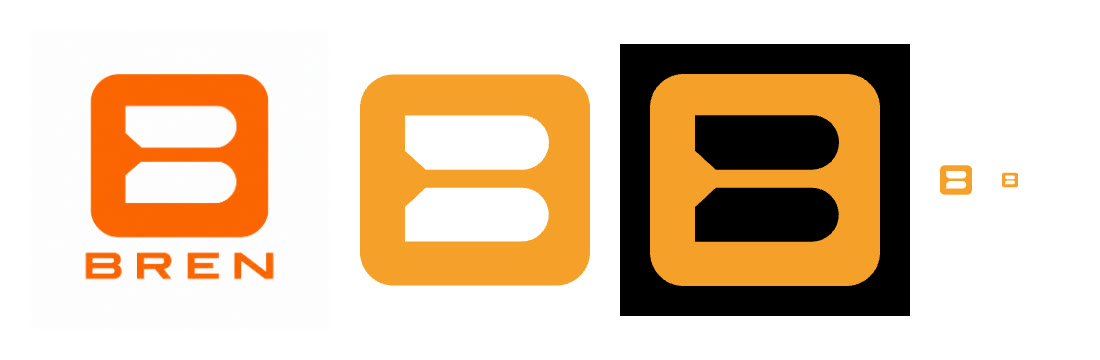

The loader, after lusion.co, fills that B with orange from the bottom while a timecode counts from 0:00:00 to 1:00:00. The progress is real. It waits for the fonts, the page load and, on the home page, the 3D brain reporting it's ready. It has a minimum duration so the count is readable, and a failsafe so nobody is ever stuck behind it.
What I learned
Direct it like a shot. The fastest progress came from notes an artist would get: "the jawline is doing too much," "the ear protrudes," "it's foggy." Vague taste produced vague work. Specific notes produced fixes.
Measure the reference. Forty tries of "make it more like this" got me a long way; one analysis script closed most of the rest of the gap. If you can't describe a look in numbers, you can't brief a machine on it.
Build the tool before the shot. A live scan dashboard, debug switches that hide one strand family at a time, a layout test that measures whether anything moves during a reveal. None of it shows on the site, and all of it is why the site works.
Know when to cut. The scroll story, the offline-render player and the ink-smoke effect were all built, worked and were thrown away. That isn't waste. It's how you find the one that's right.
The stack
| Layer | What |
|---|---|
| Site | Next.js 15, React 19, TypeScript |
| Motion | three.js (WebGL), GSAP with ScrollTrigger, Lenis smooth scroll |
| 3D and scan | Blender (13 Python scripts, headless), Apple Object Capture and Vision, OpenCV |
| Content | Markdown build logs, a contact form with email delivery |
| Built with | Claude Code, directed by me |
What's next
- Deploy it.
- A proper mobile pass on the portrait.
- More Build Logs, like this one.
Bren Builds
What I built with AI this week, what broke, and what I learned. One email, weekly.