
Why I built my own content engine instead of paying for six SaaS tools
I'm not a developer. Over one summer I built my own AI content-operations console with Claude Code. Here's what it does, what it costs to run, and everything that broke on the way.
The problem
A content operation is roughly seven jobs: research, scripting, clipping, captioning, scheduling, posting and analytics. Every creator stack I priced was six subscriptions duct-taped together. Each had its own login, its own idea of what "good" looks like, and no idea who I am or what I care about.
I spent twenty years in VFX. For about ten of them I ran my own studio in New York, and the pipeline was always the product. Nobody at The Mill bought a finished pipeline off the shelf. We built one that fit how we worked, then kept rebuilding it. So when I started making content in public, I did the same thing. I built the pipeline first.
The constraint was time, not money. I have about ten hours a week for this. Anything that needs me to babysit it doesn't survive.
What I built
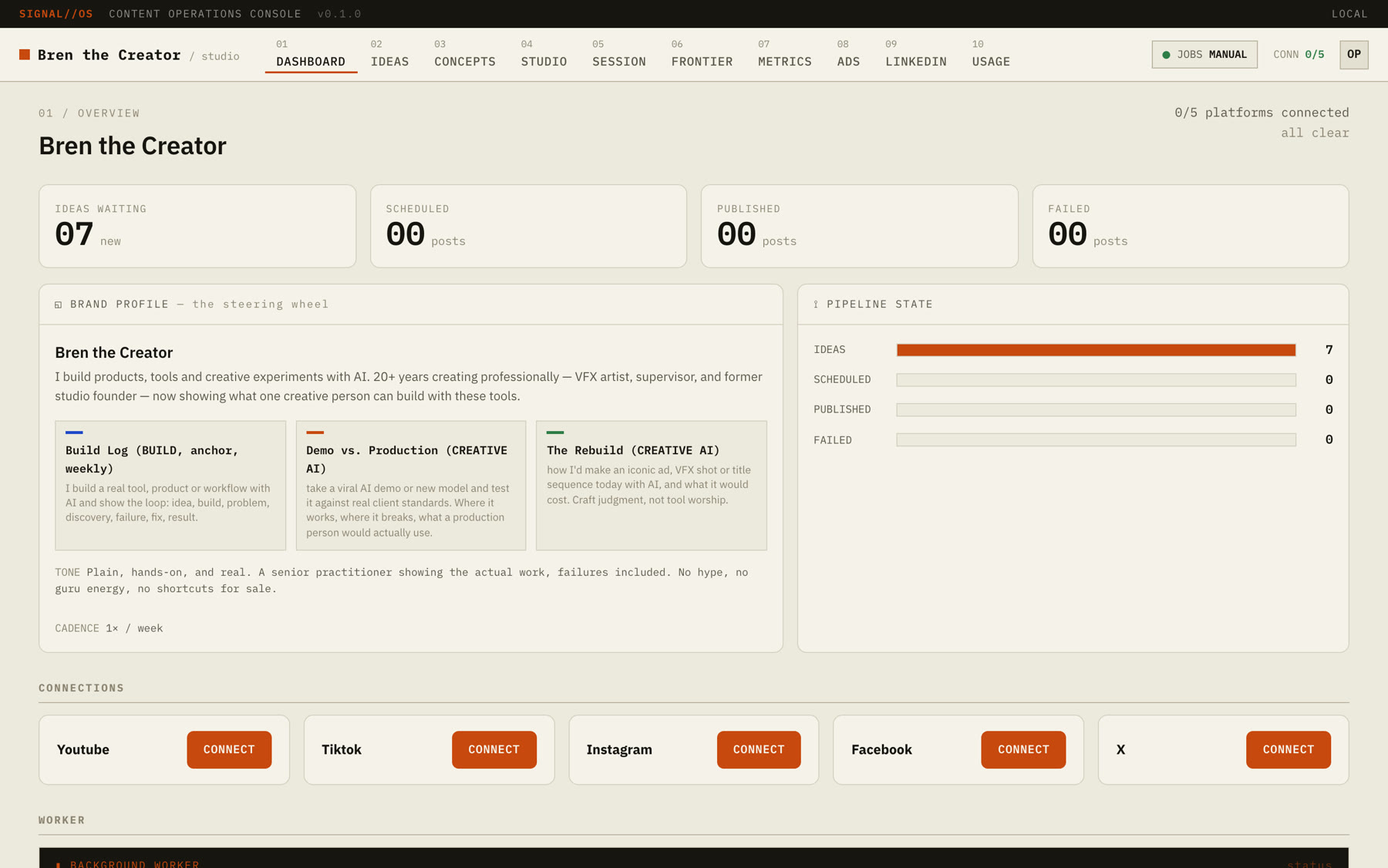
It's a local console called SIGNAL//OS, running on my laptop. It's a Next.js app with a SQLite database and a set of Claude agents behind it. The look is an "analog terminal": IBM Plex Mono, warm paper, one ember accent and hairline grids. I designed it before any of it worked, because I knew I'd only use a tool I liked opening.
It has ten tabs. Four of them do most of the work.
- Frontier19 sources, every item labelled and scored
- IdeasFive scouts in parallel, one editor re-ranks
- LinkedInDrafts in my voice, checked by code
- SessionOne recording becomes a week pack
- UsageEvery call priced, with a $5 daily ceiling
Frontier: a news radar that knows what I care about
Frontier pulls from 19 sources:
- Blogs: Simon Willison, Latent Space, LangChain, the ComfyUI newsletter, fxguide, Import AI and MarkTechPost.
- Research: Hugging Face daily papers and arXiv (cs.AI and cs.CV).
- Labs: the OpenAI, Hugging Face and BAIR blogs.
- Aggregators: GitHub Trending and Hacker News (AI stories over 100 points).
- Community: six subreddits, six X accounts and a LinkedIn feed.
A full refresh came back 19 of 19 sources, 403 items, zero failures.
An agent labels every item before I see it. Each one gets a category, a lane and a tag (viral, breakthrough, open source, local, hype or evergreen). It also gets a 0–100 relevance score for me specifically, with one line on why. Items are grouped by the day the radar ran, so each morning is one batch I can clear.
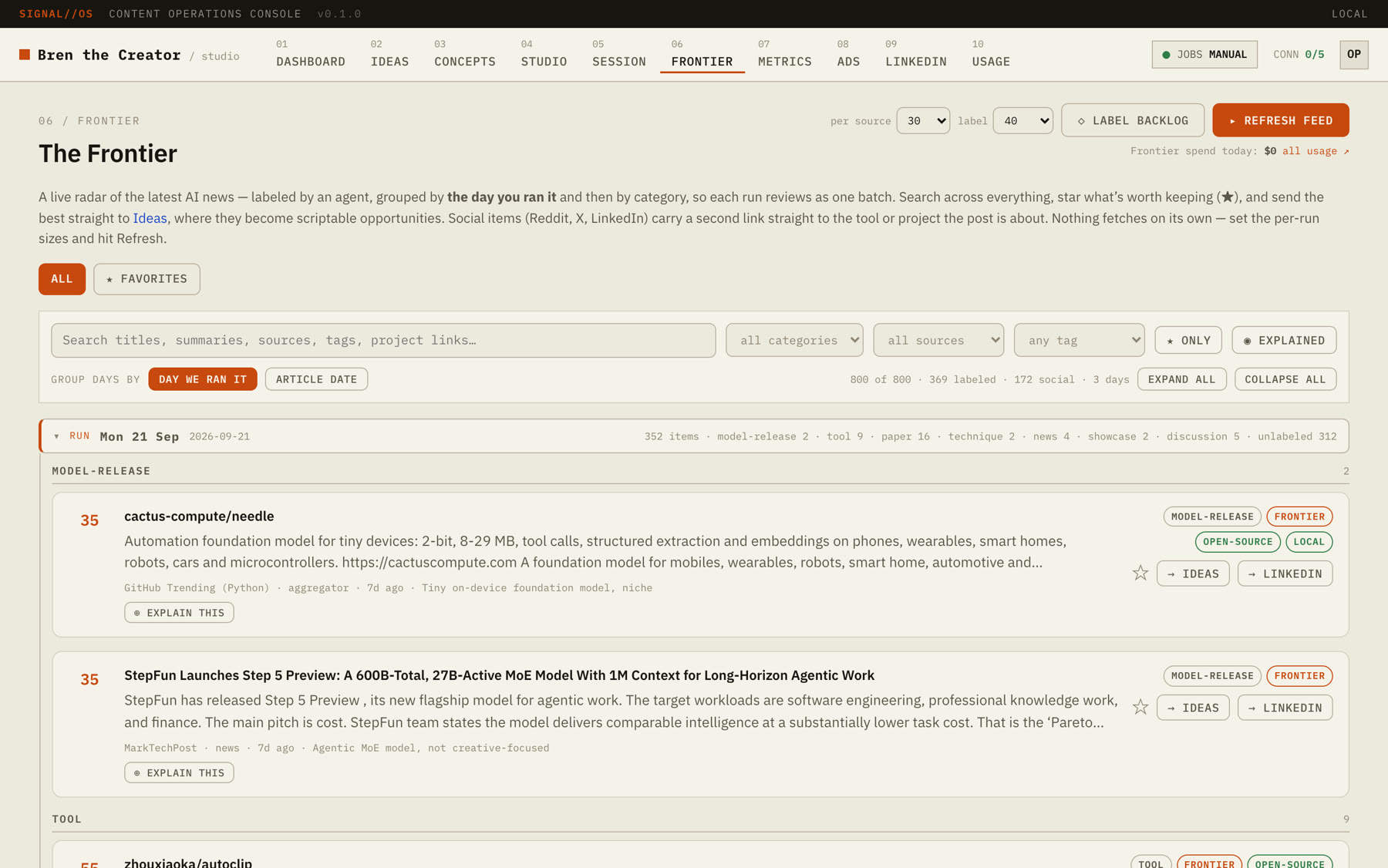
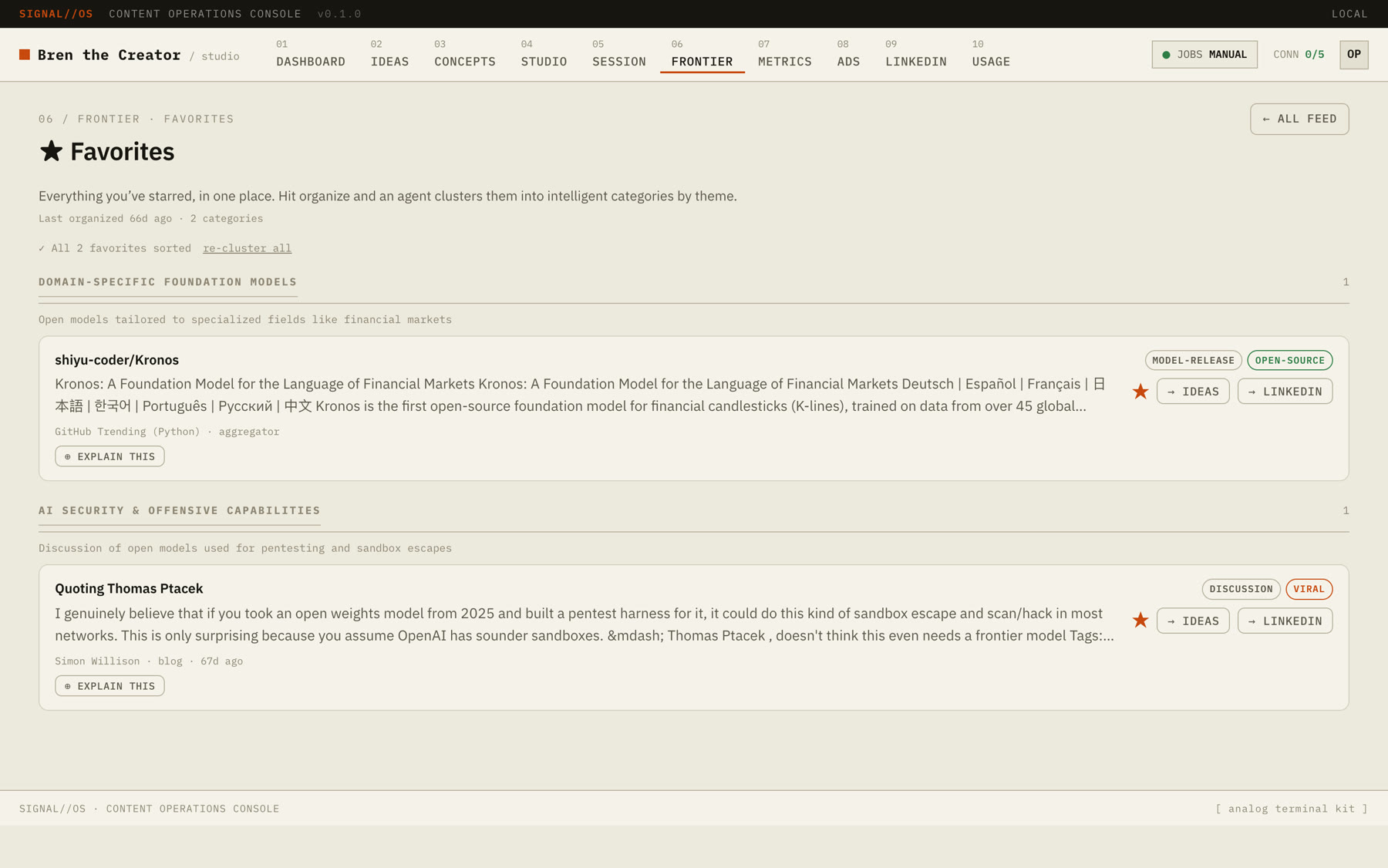
The feature I use most is Explain this. It fetches the source page and writes a plain-language breakdown: the gist, what it means, the jargon decoded, and the caveat. That's the difference between "I saw a paper" and "I understand it well enough to have an opinion." Starred items go to a Favorites page, where another agent clusters them by theme.
Ideas: five scouts and an editor
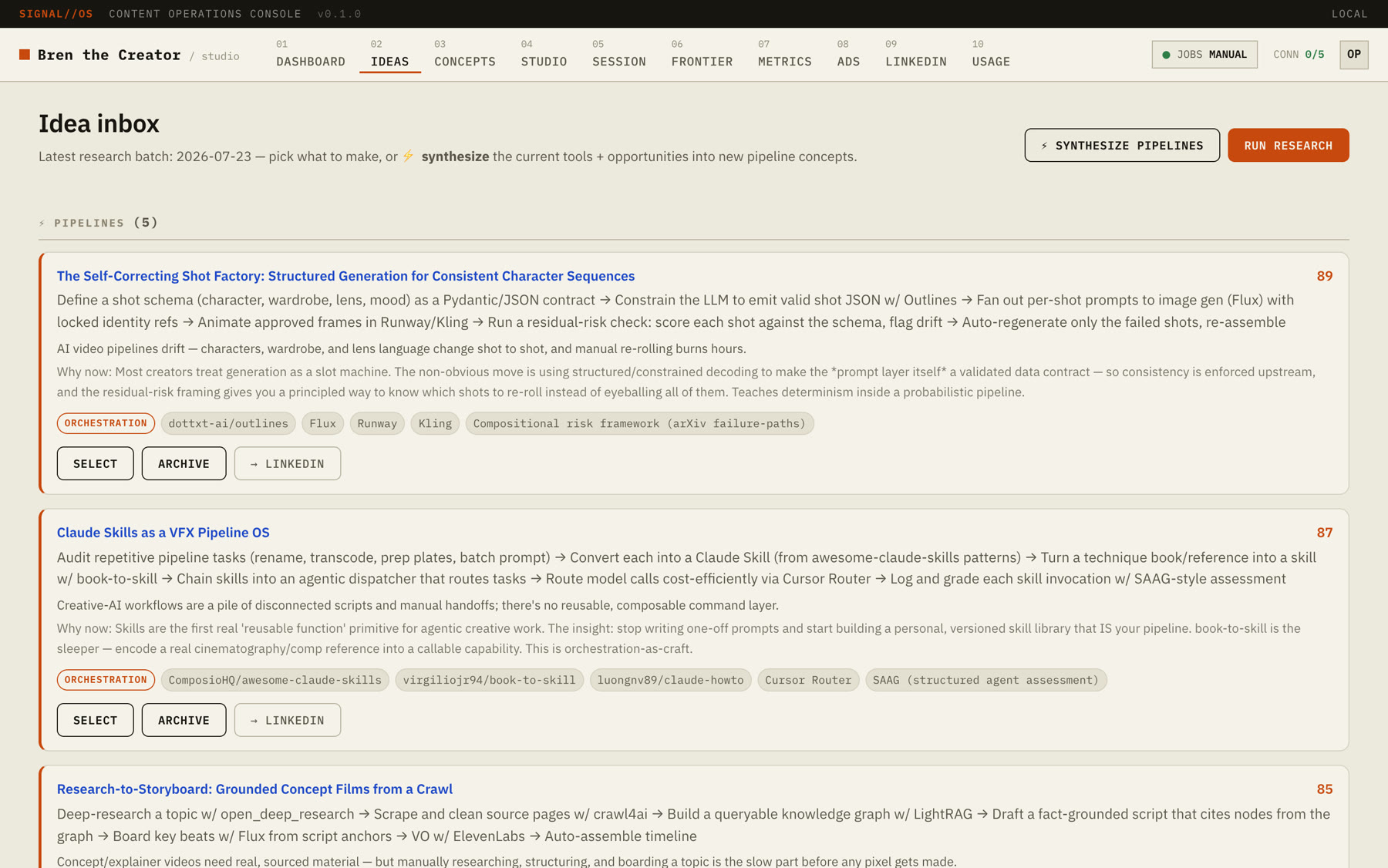
"Run research" sends five scouts out in parallel. They cover model updates, new tools, X, LinkedIn and techniques. A second pass then acts as the editorial lead and re-ranks what they bring back. "Synthesize pipelines" is the part I didn't expect to love. It chains the tools and ideas it found into pipeline concepts, the kind of thing I'd sketch on a whiteboard at the studio.
LinkedIn: drafts in my voice, not AI voice
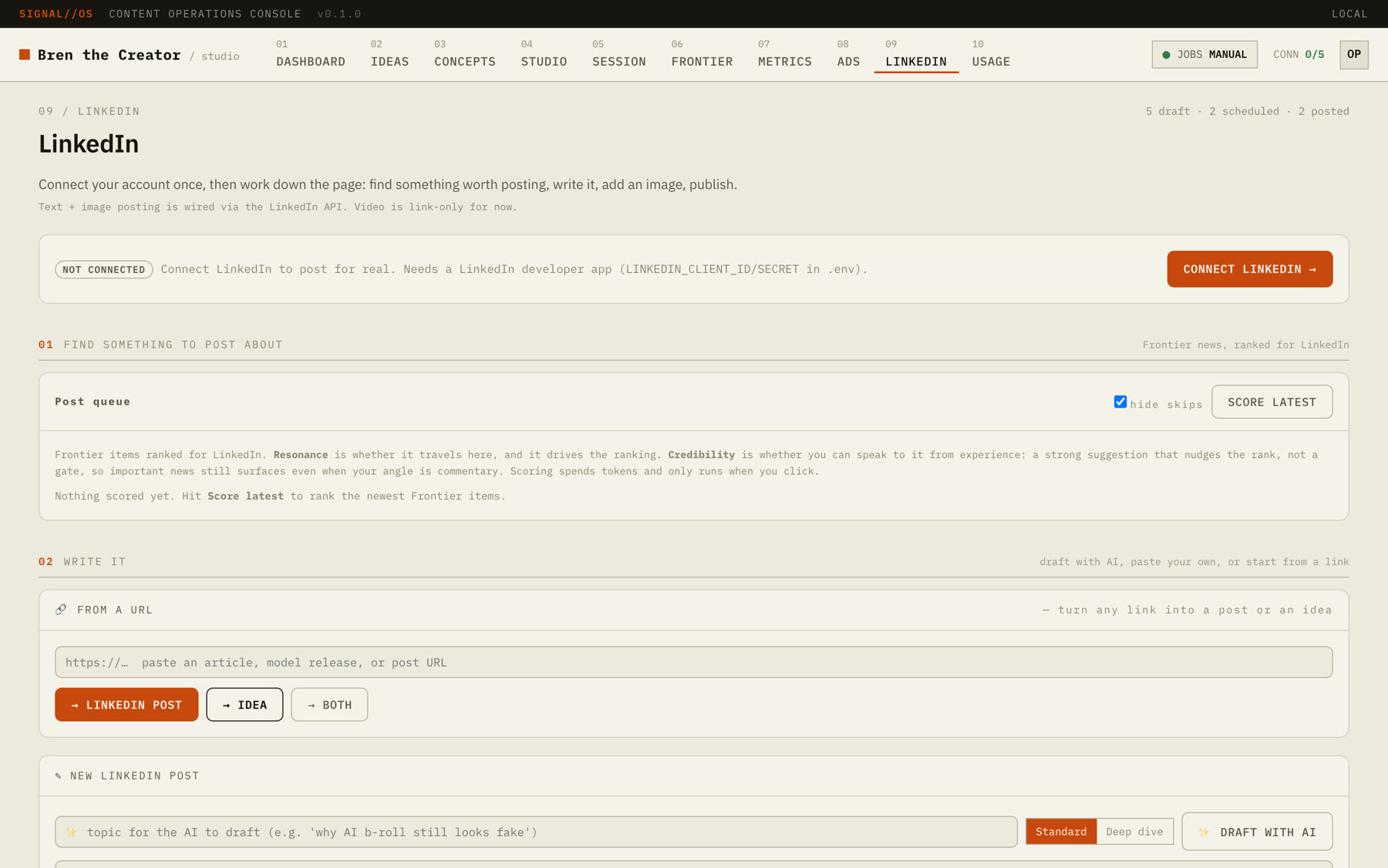
LinkedIn is where my audience already is (about 20K people), so it gets the most care. The composer drafts at two depths: Standard (roughly 90–180 words) and Deep dive (250–450).
Before every draft the agent reads two things. One is a style guide I edit by hand. The other is a list of my own past posts, which I file with one click as "voice examples." On top of that sits a deterministic sanitizer. It isn't a prompt; it's plain code. It guarantees no em dashes and never lets a post pass LinkedIn's 3,000-character cap. The prompt asks nicely, but the code makes sure.
There's also a box that turns any URL into a draft or an idea, and an image generator built on Gemini.
Usage: every call has a price tag
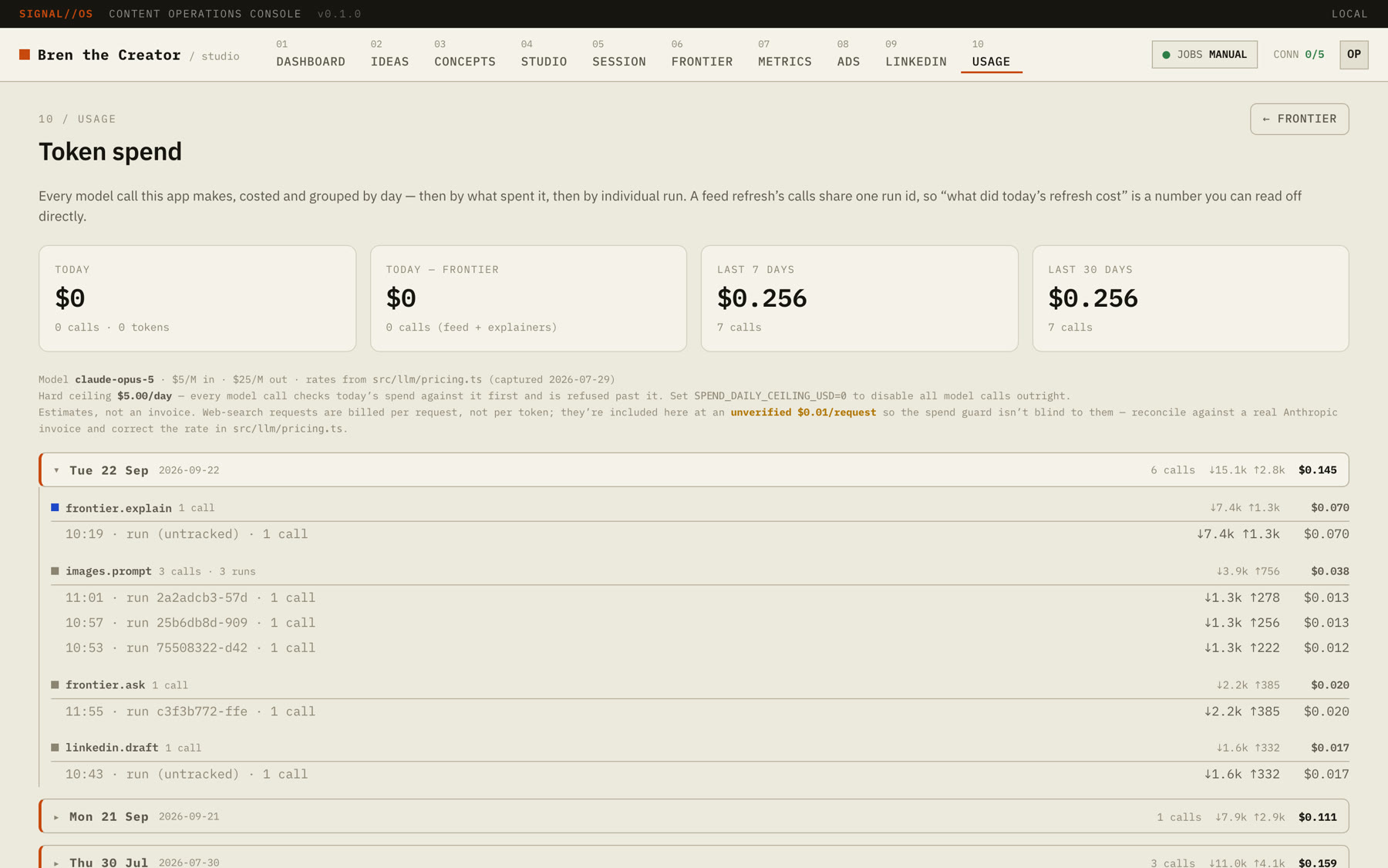
This is the tab that makes the rest safe. Every model call is tagged with the operation and run that made it, then costed against a price table. The table covers everything from Opus at $5/$25 per million tokens in/out down to Haiku at $1/$5. Unknown models are flagged "unpriced" rather than silently counted as free.
A hard daily ceiling ($5 by default) blocks calls once it's hit. Setting it to 0 is a kill switch. And every scheduled job is manual by default: the header literally reads "JOBS MANUAL."
- Daily ceiling$5.00 a day
- Last 30 days, total$0.26
The first measured runs were cheap:
- Labelling 25 items cost about $0.07.
- One "explain this" breakdown cost about $0.06.
- Swapping the labeller to a smaller model made it 5× cheaper per item: $0.0029 down to $0.00058.
- Original labeller$0.0029
- Smaller model$0.00058
5× cheaper per item
Session: one recording, a week of posts
The newest tab. I record one build session. Local Whisper transcribes it, then two model calls turn it into a week pack: clip picks, several LinkedIn drafts, a newsletter issue, YouTube titles and chapters, and a lead magnet with a comment keyword. It hasn't run on real footage yet. This post is the first thing it's going to be tested on.
What broke
Plenty. These are the ones worth telling.
The research estimate was wrong by 4–5×. I'd written down $0.40 to $1.20 per research run. The real figure on that code was $4.20 to $5.62. It was cheap per call and expensive in the plumbing:
- Five scouts × two rounds made ten calls.
- Every time a scout resumed, the web-search tool was re-sent with a budget of eight searches.
- Worst case that was up to 400 web searches in one run, and my ledger didn't count search fees at all.
The fix was boring: cap resumes at one, and count searches in the ledger. The lesson wasn't boring. Measure the loop, not the call.
A button that could have cost $450 an hour. The "redo explanation" button skipped the cache and overwrote the shared result, and nothing asked who was clicking. In a loop, that's roughly $450/hour, and it would have degraded 619 finished breakdowns. I removed it.
Silent failure. The labeller once sent 200 items in one request against a 16K output limit. It spent about $0.50 and returned zero labels, and the error was swallowed, so the page just looked empty. Batches are now 115 items, and errors are loud.
ffmpeg is a great encoder and a bad designer. Auto-clipping works: Claude picks 20–75 second moments, then ffmpeg reframes them to vertical and burns in the Whisper captions. But reframing plus captions is the ceiling. No graphics, no transitions, no assembly. I hit the "polish ceiling" fast. Next up is testing a proper motion-graphics layer on top of it.
OAuth, the usual. LinkedIn won't accept http://localhost as a redirect, so it needs an HTTPS tunnel. My redirect URIs pointed at port 3000 while the app ran on 3100. Posting end to end is still untested.
The feeds are fragile. Reddit's JSON endpoint returns 403, and a second Reddit source failed about half the time on rate limits. The bridges I use to read X "die regularly." About 55% of Reddit items carry a link to the actual project, 30% of X items do, and 0% of LinkedIn items do.
Image models still can't spell. The Gemini integration makes good images, until there's text in them.

What I learned
Claude is a great operator and a mediocre inventor of a look. It will wire up nineteen feeds, a cost ledger and an OAuth flow faster than I could have hired someone to scope them. Ask it what the thing should feel like, though, and you get the average of the internet. Taste still has to come from me. That's also the whole premise of this channel.
Put the guardrails in code, not in the prompt. The daily ceiling, the manual-by-default jobs, the em-dash sanitizer and the cost tags are all plain code. Every expensive surprise above happened somewhere the only safety was a sentence in a prompt.
About 70–80% of the labour automates. The research, sorting, first drafts, clipping and captions all automate. The last 20% is deciding what's worth saying and how it should look. That part doesn't, and I don't want it to.
The stack
| Layer | What |
|---|---|
| App | Next.js (App Router), React, TypeScript, SQLite built into Node |
| Models | Claude (Opus for drafting and research, Sonnet for LinkedIn selection, Haiku for bulk labelling), Gemini for images |
| Media | ffmpeg, local Whisper |
| Integrations | LinkedIn Posts API, YouTube, Instagram, Facebook, X, Google Drive |
| Ops | Docker Compose behind a password gate (optional), everything manual by default |
What's next
- Run Session on real footage (this post).
- A motion-graphics layer for clips, testing Remotion against HeyGen's HyperFrames.
- Finish LinkedIn posting end to end, including video.
- The Next.js 15 upgrade the security audit asked for.
If you want the week-by-week version, it goes out in the newsletter.
Bren Builds
What I built with AI this week, what broke, and what I learned. One email, weekly.